What's inside

The Apps

Everything on the device, an App at a time: what it does, a screen from the device itself, and where its guide is. On the device, the Launcher puts them in the same four folders as here, Radio, Network, Local and System; Fn + h lists the keys of any screen.

Radio

Mesh

Chat on the MeshCore mesh

MeshCore in the background, whatever is on screen: the Public channel, hashtag channels and private ones you follow, private conversations with a receipt for each message, and the nodes around with how far they are. It listens by default, and sends once you choose, within 10% of the air.

Its own key, made on the device Its page in the guide →
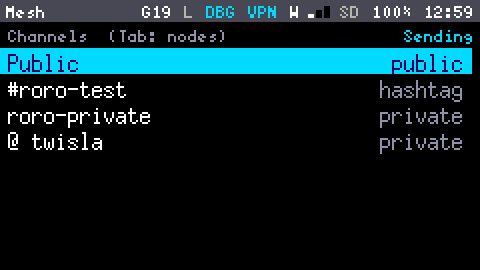
The Mesh App's channels, Sending: Public, #roro-test, roro-private and a private conversation with twisla
LoRa Scanner

See what is on the air

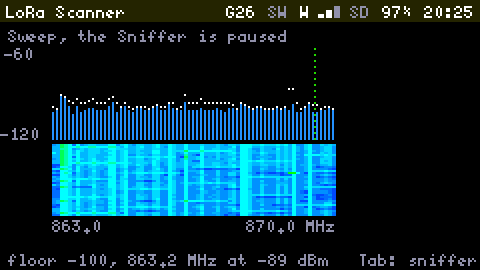
Lists every packet it hears with its signal, and reads the Meshtastic and MeshCore headers, and MeshCore's public channel. A Sweep shows signal strength from 863 to 870 MHz. Capture to a pcap for Wireshark.

Only listens, never transmits Its page in the guide →
The LoRa Scanner's Sweep: bars of signal strength from 863.0 to 870.0 MHz with peak marks, a waterfall under them, and a footer reading floor -97 dBm, nothing above it
GNSS

Find your place, and your way

Position, a Sky view of every satellite, and a Compass that leads back to a place you marked. Tracks save to the SD card as GPX, and the clock follows the fix.

No magnetometer: north from walking, or the sun Its page in the guide →
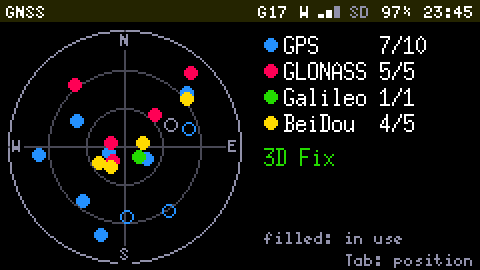
The GNSS App's sky view: a circle with the satellites of four constellations as coloured dots, filled when used, and a legend counting them: GPS 10 of 12, GLONASS 4 of 4, Galileo 2 of 2, BeiDou 3 of 3, 3D Fix

Network

IRC

Chat from the keyboard

Join channels and type commands as you would anywhere, with a log a day written to the SD card. It stays connected when you leave the App, and the Launcher marks unread messages.

Logs to SD Its page in the guide →
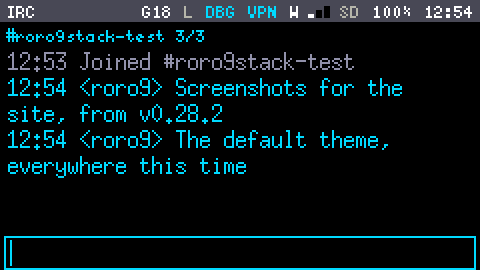
The IRC App on #roro9stack-test, buffer 3 of 3: Joined #roro9stack-test, then two lines from roro9, Screenshots for the site, from v0.28.2, and The default theme, everywhere this time, and an empty line to type in
SSH

A terminal on another machine

Log in to a server with a password or with the device's own key, and run a shell, vim or top on the Cardputer's screen, in sixteen colours. Files go with scp, from the Shell.

The session stays open when you leave Its page in the guide →
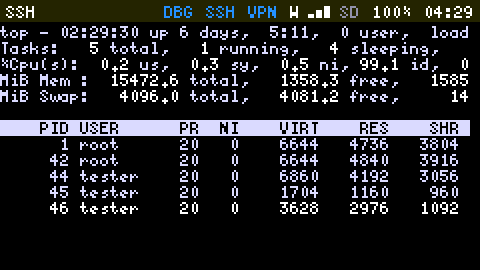
The SSH App running top on another machine: its load, tasks and memory, then a table of processes with their PID, user, priority and memory
Wi-Fi Tools

Scan the air for networks

The networks around you, sorted and filtered; how busy each channel is; a tracker that follows one network's signal as you walk. Scans log to a CSV file on the SD card.

Scans log to CSV Its page in the guide →
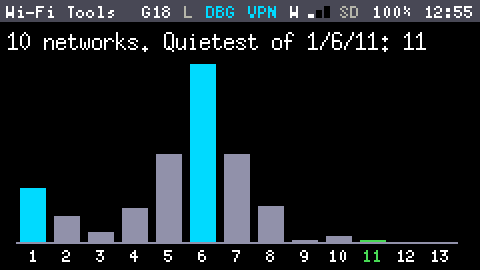
Wi-Fi Tools' channel occupancy: 10 networks, quietest of 1, 6 and 11: channel 11, with a bar for each channel from 1 to 13, channel 6 the tallest

Local

Notes

Write it down

Keep plain text notes on the SD card, of any size: a megabyte opens as fast as a line. There is no save key: the editor writes five seconds after you stop typing, so a power cut never costs the note.

Plain .txt files in /notes Its page in the guide →
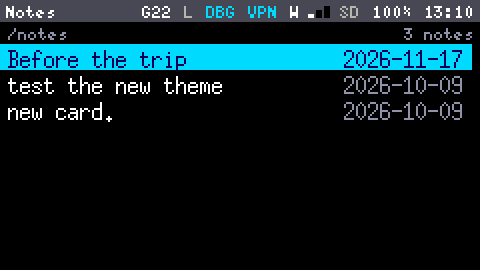
The Notes App listing the 3 notes in /notes, each under its first line, with its date: Before the trip, test the new theme and new card
Storage

Manage the SD card

Browse, copy, cut, rename and delete with a clipboard. Opens text, pictures, hex, captures, tracks and update files. Press w and the card is a web page in your phone's browser: upload and download with nothing to install.

Checks every copy by size Its page in the guide →
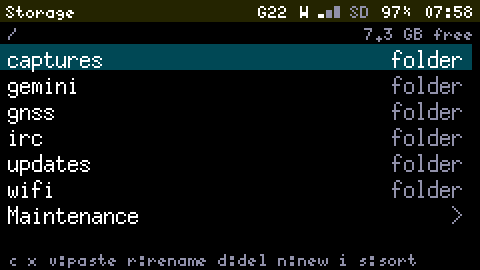
The Storage App at the top of the SD card: the folders captures, gemini, gnss, irc, mesh, notes, pictures and screenshots, with 15 GB free

System

Settings

Make it yours

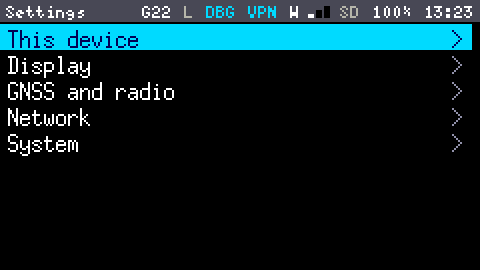
The device's name and region, brightness and seven colour themes, GNSS and the radio, Wi-Fi networks and a WireGuard VPN, firmware updates and the Debug Console, in five groups.

Every theme dark and light Its page in the guide →
Settings, in five groups: This device, Display, GNSS and radio, Network and System
Shell

The console, on the device

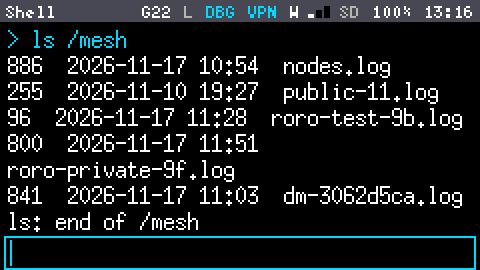
Every command the firmware's console knows, typed on its own keyboard: the card's files, ping, nslookup, traceroute, a certificate check, the radio and the GNSS receiver. Tab completes.

The same commands as over USB Its page in the guide →
The Shell after ls /mesh: the size, date and name of each file in the mesh's folder, nodes.log, a log per channel and one for a private conversation, then ls: end of /mesh and an empty line to type in